How to create your professional link-in-bio with BentoHub
Build a modern, customizable hub that showcases your links, projects, and social media in one place. No coding required, ready in minutes, and designed to turn attention into relationships.
What you need before you start
- A free BentoHub account (sign up takes 30 seconds)
- Your bio, links, and social media handles ready
- Optional: Brand colors, logo, and profile photo
- 5-10 minutes to complete setup
Create your hub
Sign up for a free BentoHub account and choose your unique username. This will be your hub URL (e.g., bentohub.com/yourname).
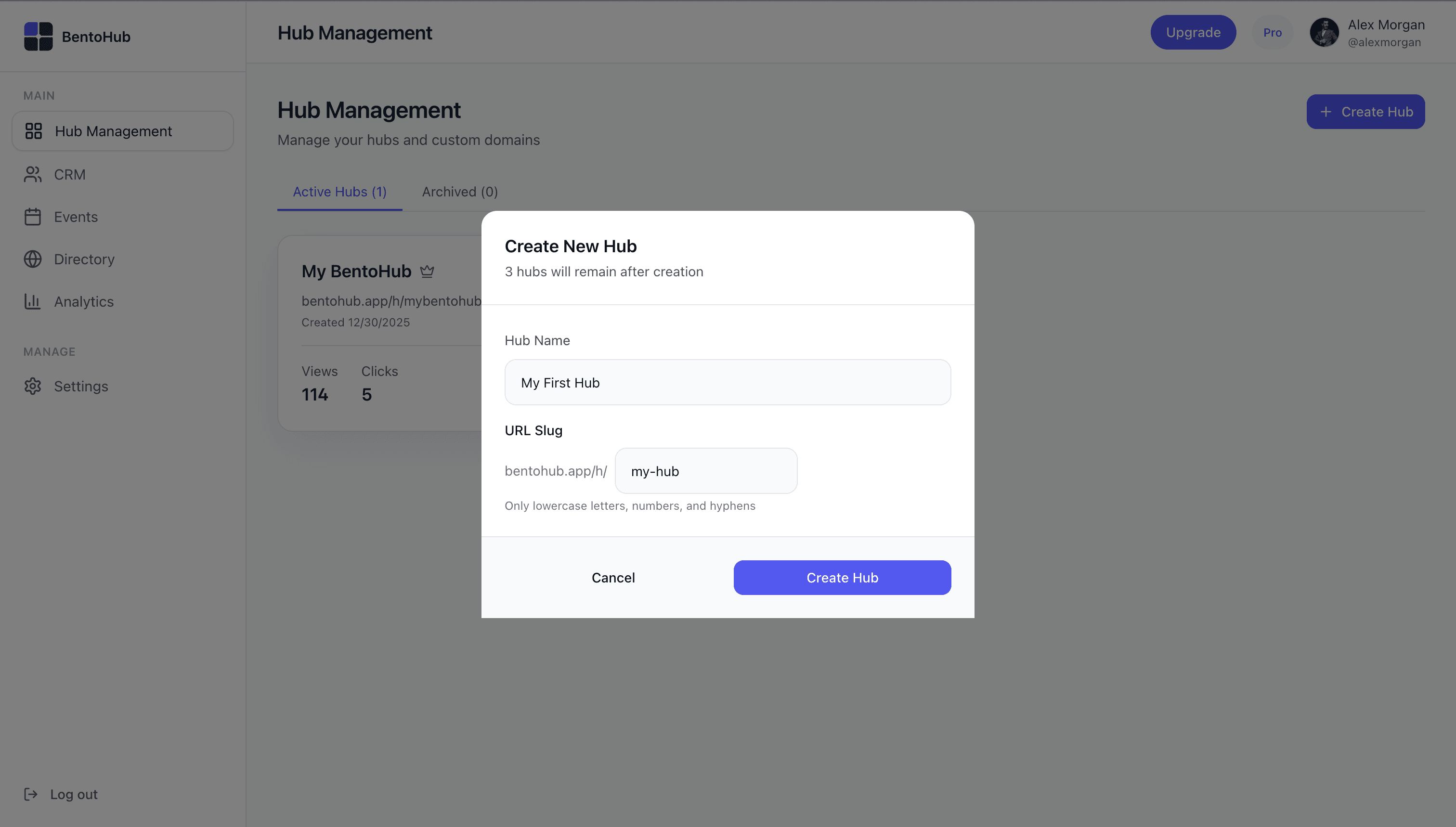
Pro tip
Choose a username that matches your other social handles for brand consistency.
Choose your blocks
BentoHub uses a bento box layout: think of each block as a tile that displays different content. Start with essential blocks like Bio, Links, and Social Media.
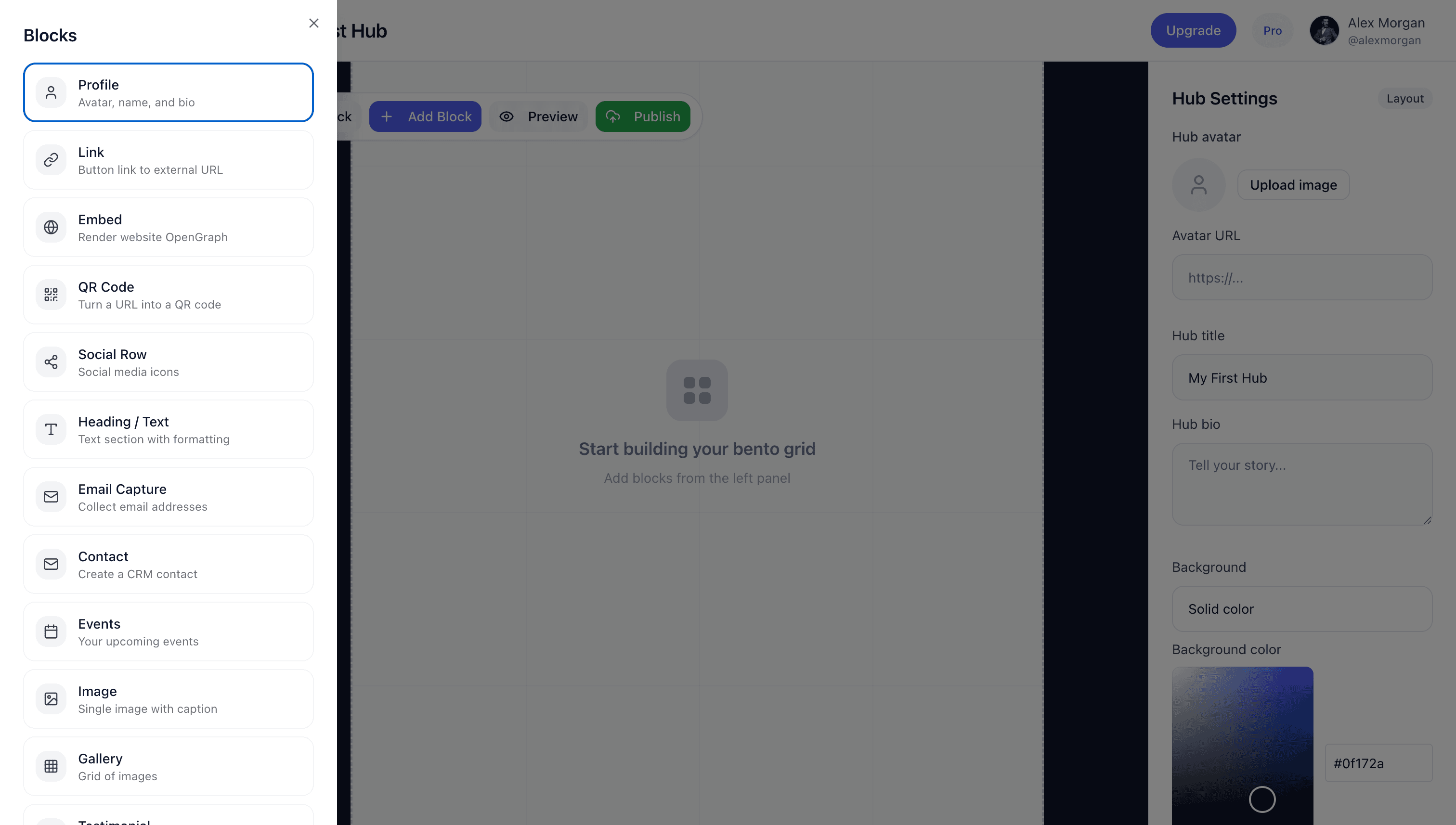
- •Bio Block: Introduce yourself with a headline and description
- •Links Block: Add your website, portfolio, or important links
- •Social Media Block: Connect Instagram, Twitter, LinkedIn, and more
Customize your design
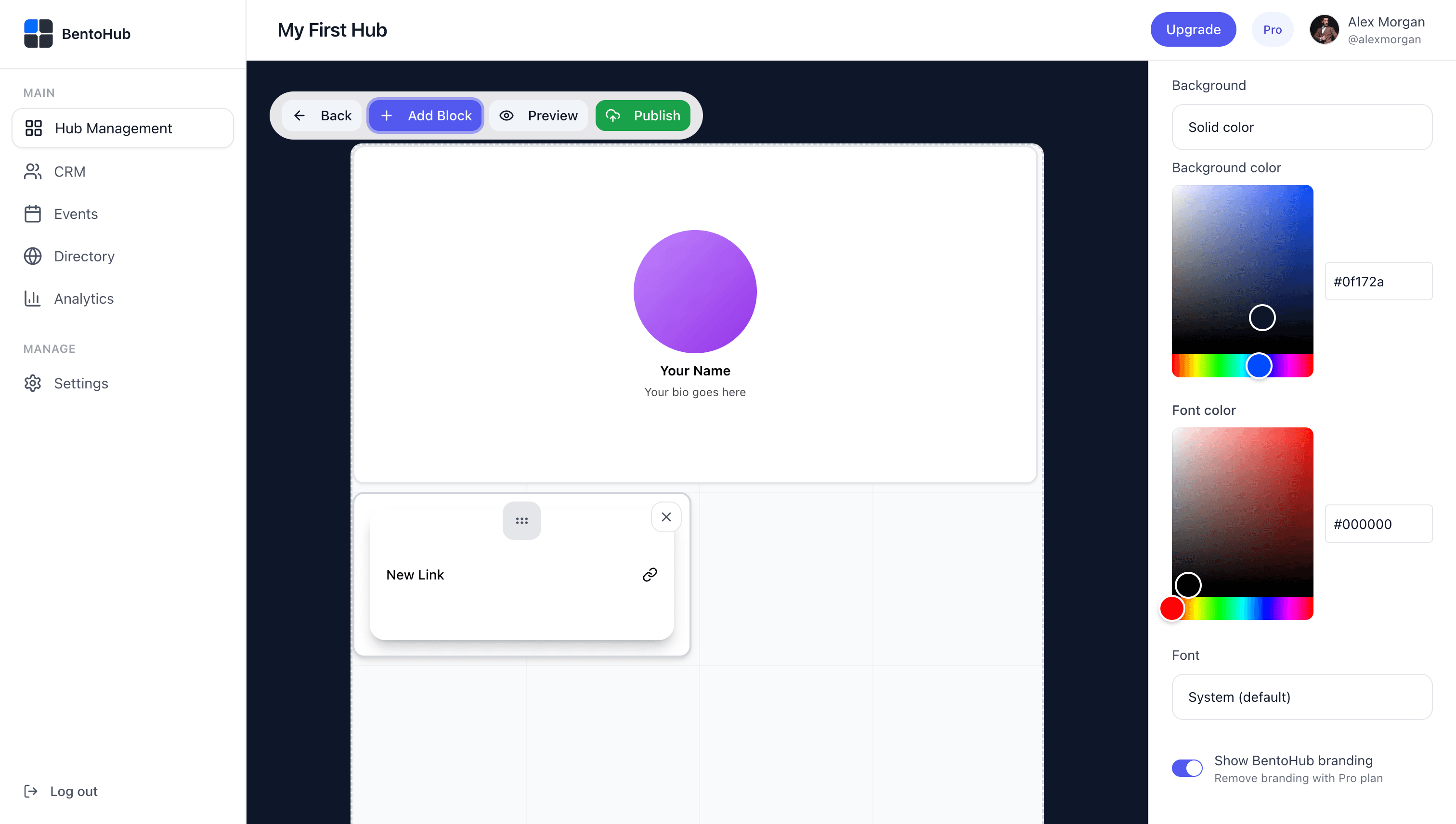
Make it yours. Adjust colors, fonts, spacing, and layout to match your brand. BentoHub supports custom color palettes and flexible grid arrangements.
Add your content
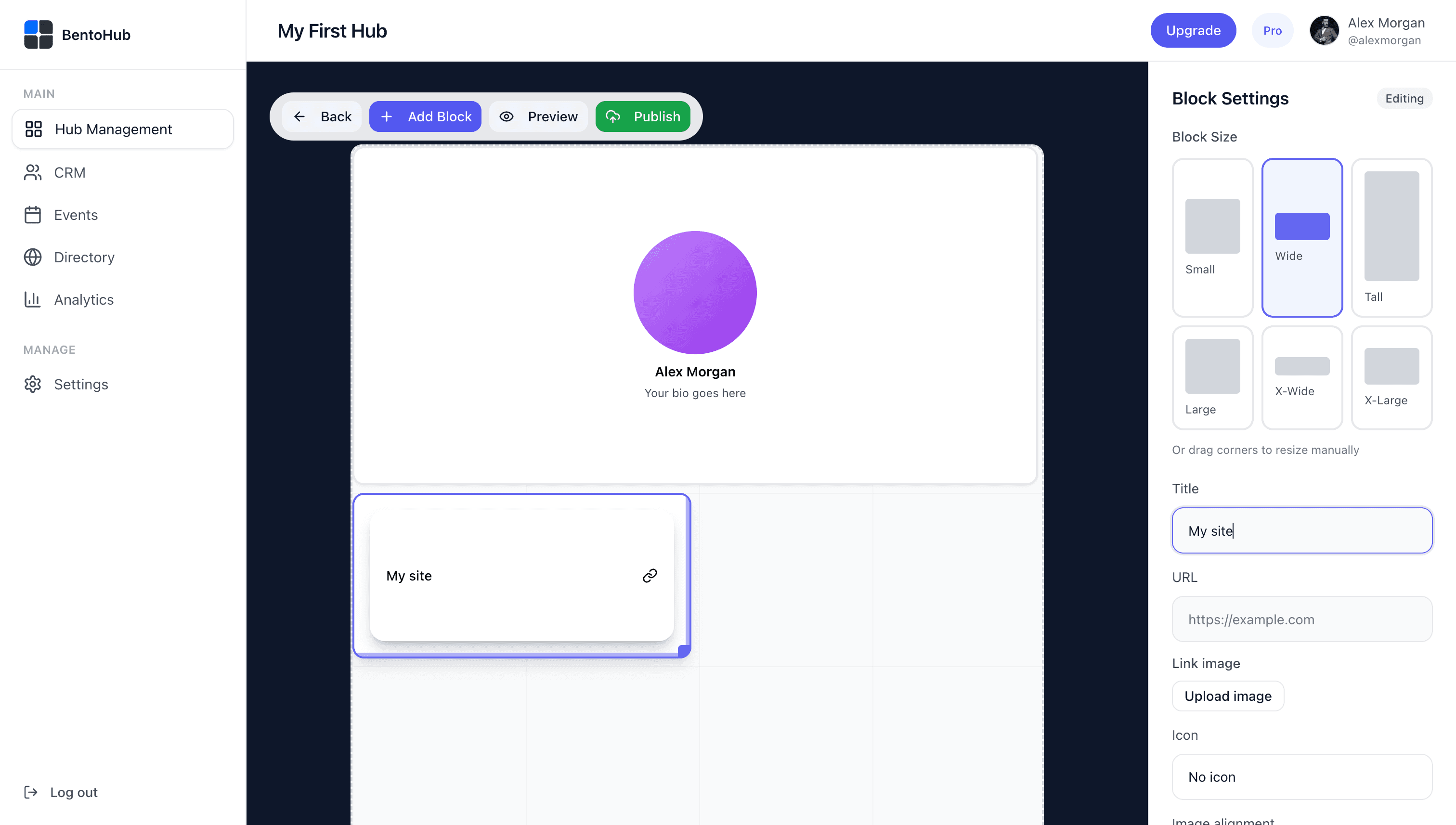
Fill in your blocks with real content. Write compelling copy, add high-quality images, and make sure every link works. This is what converts visitors into connections.
Publish and share your hub
Hit publish and your hub goes live instantly. Copy your link and add it to your Instagram bio, Twitter profile, email signature, and anywhere else you want to drive traffic.
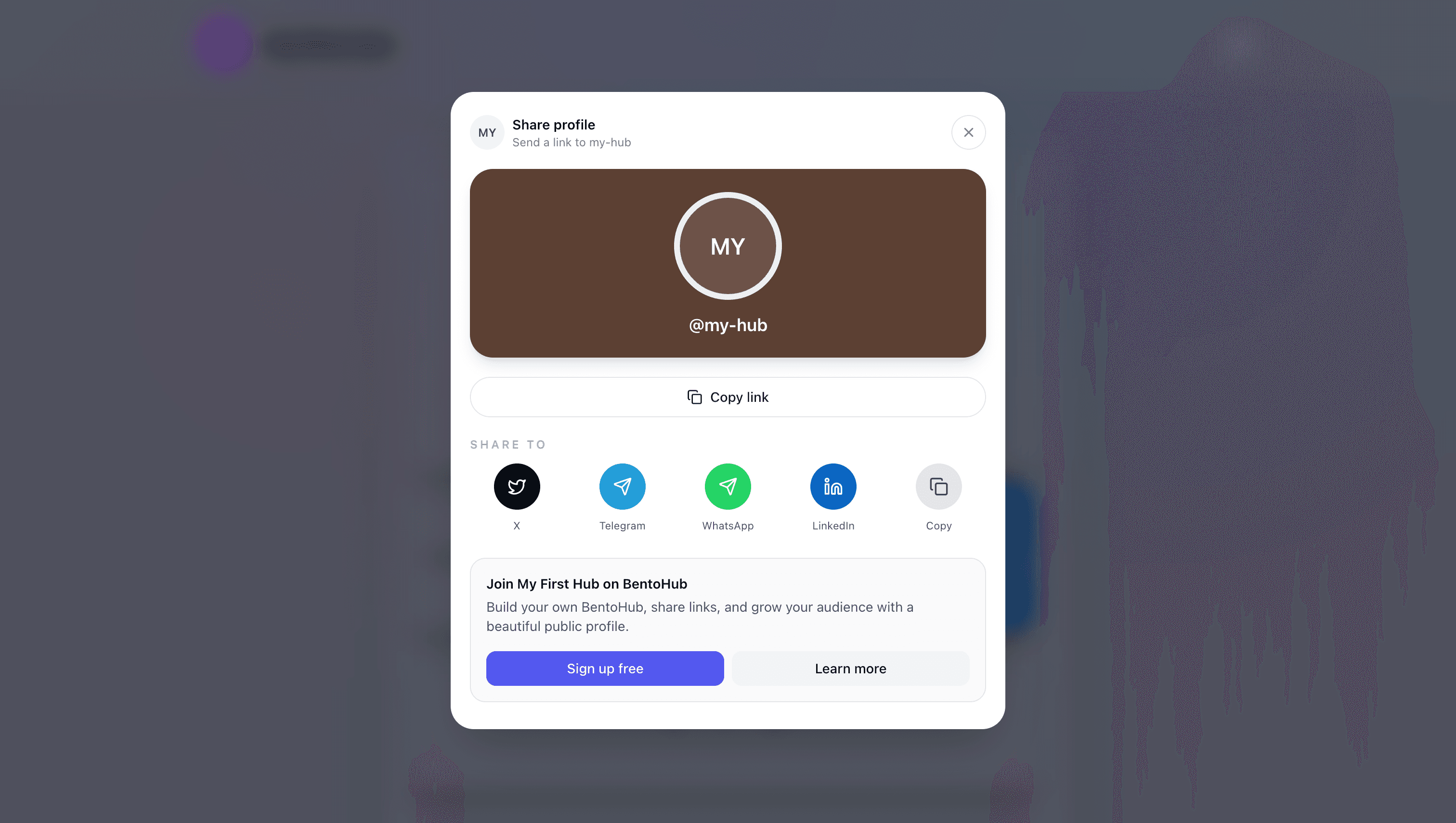
Your hub URL
bentohub.com/yournameBest practices
Keep it simple: Start with 3-5 blocks. You can always add more later.
Use high-quality images: Blurry or pixelated photos hurt credibility.
Write clear CTAs: Instead of "Click here", use "View my portfolio" or "Book a call".
Test on mobile: 80% of visitors will see your hub on mobile first.
Update regularly: Keep your content fresh. Swap out old links for new projects.
Common mistakes
- • Too many blocks: Overcrowding confuses visitors. Prioritize your most important content.
- • Broken links: Always test every link before publishing.
- • No call to action: Tell visitors what you want them to do next.
- • Ignoring analytics: Check your BentoHub analytics to see what's working.
- • Generic branding: Use your own colors and voice; don't look like everyone else.
What happens next
Once your hub is live, BentoHub helps you turn attention into relationships:
Track visitors with Analytics
See who's viewing your hub, which links get clicked, and where traffic comes from.
Capture leads with CRM
Add a contact form block and manage leads directly in your BentoHub CRM without third-party tools.
Host events
Create events, collect RSVPs, and build your community from the same platform.