How to connect with people at events using BentoHub
Event networking is usually random and awkward. BentoHub replaces this with intent-based networking: see who's attending, what they're looking for, and connect with context before you even arrive.
What you need before you start
- A BentoHub account (Free or Pro)
- An event listed on BentoHub (yours or someone else's)
- Published profile with bio and social links
- Optional: Networking note describing what you're looking for
Mark attendance
Find the event on BentoHub and click "I'm attending" to RSVP. This adds the event to your profile and makes you visible to other attendees if networking is enabled.
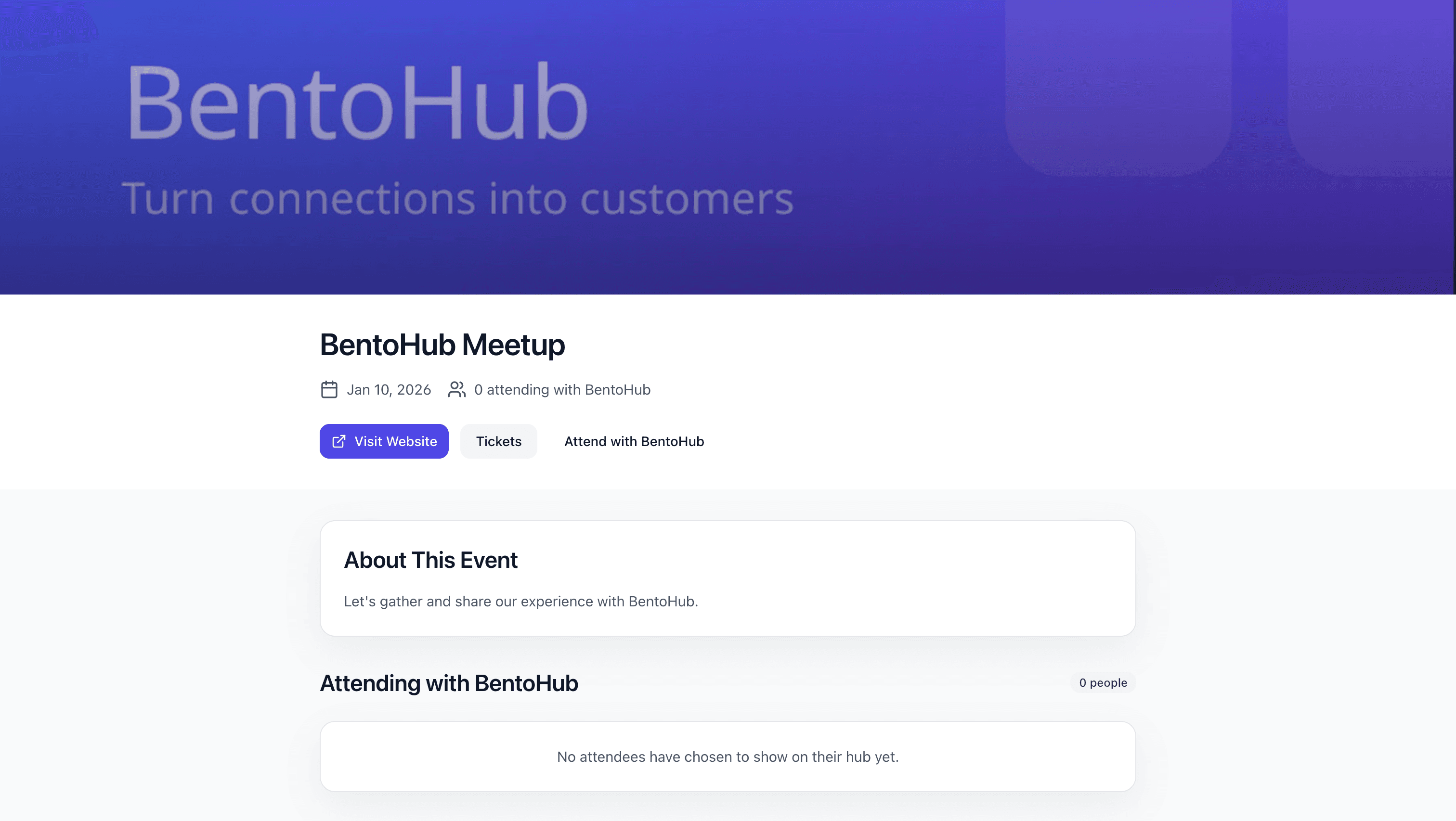
You can mark attendance for any public event on BentoHub, even if you didn't create it.
Enable "Open to connect"
After marking attendance, toggle "Open to connect" to ON. This signals to other attendees that you're actively looking to network.
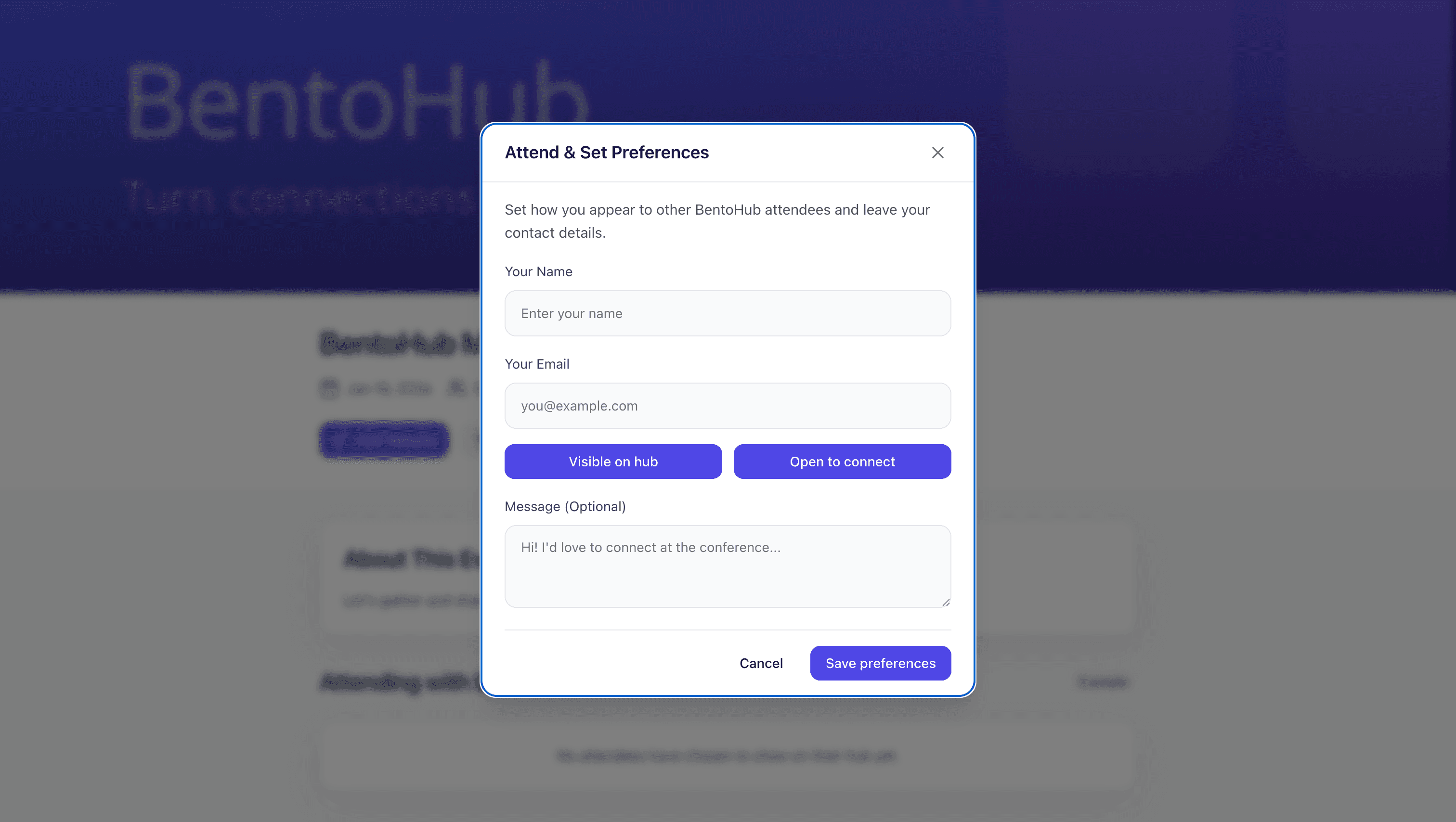
Privacy controls
- • Visibility: Only attendees of the same event can see you
- • Opt-in: You control when you're open to connect
- • Toggle off anytime: Change your status before, during, or after the event
- • Your choice: You can attend without networking. It's optional
Why visibility matters
Attendees who are open to connect receive more requests. It's a clear signal that you want to network.
Add a networking note
Write a short note (1-2 sentences) describing what you're looking for at the event. Examples: "Looking to connect with product designers" or "Interested in hiring a developer".
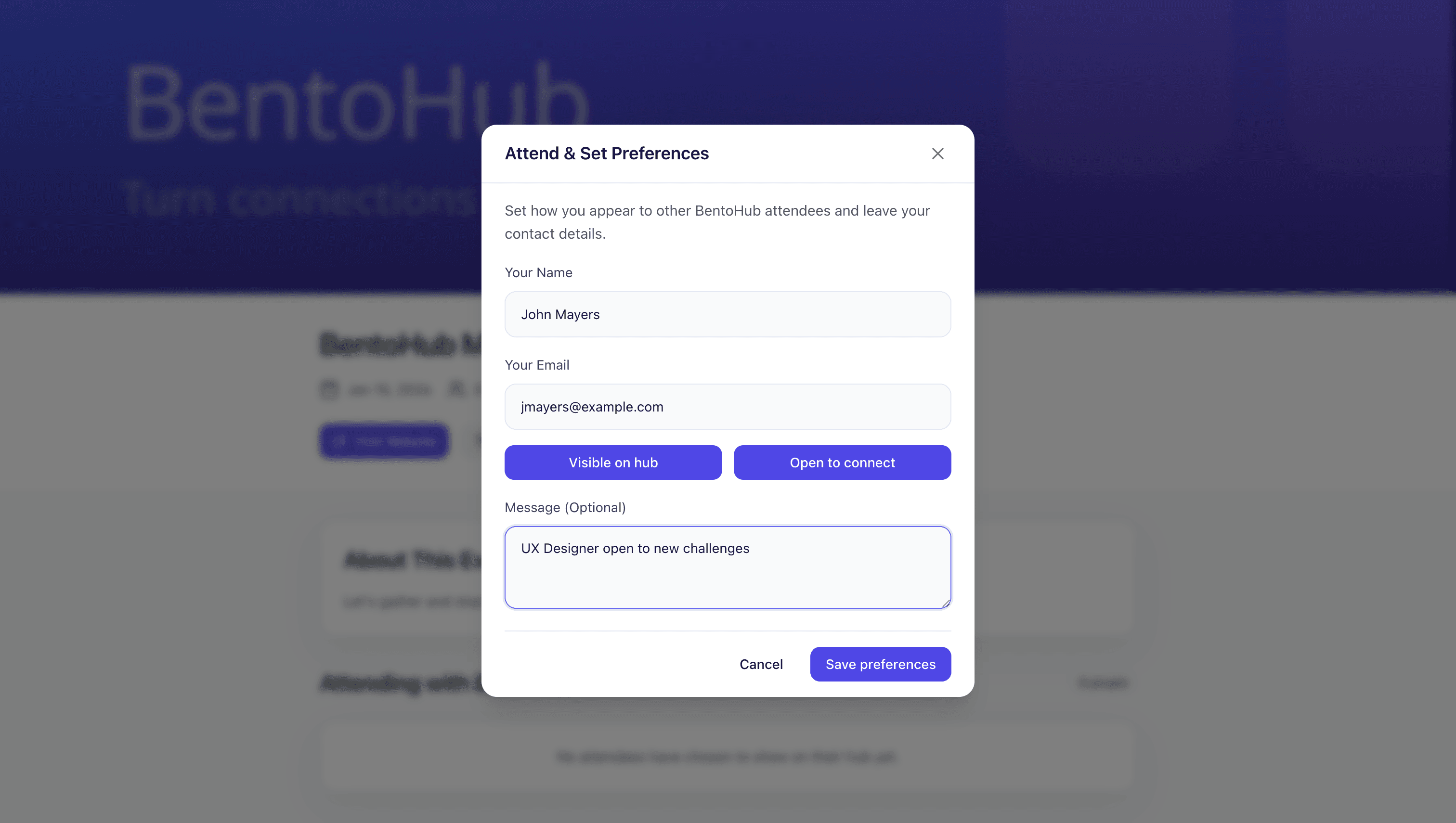
Good networking notes
- • Looking for design feedback on my SaaS product
- • Happy to chat about scaling sales teams
- • Interested in hiring a senior Rails developer
Avoid generic notes
- • Open to connect
- • Let's chat
- • Leaving it blank
Discover other attendees
Browse the Attendees tab on the event page. You'll see everyone who's marked themselves as attending and open to connect.
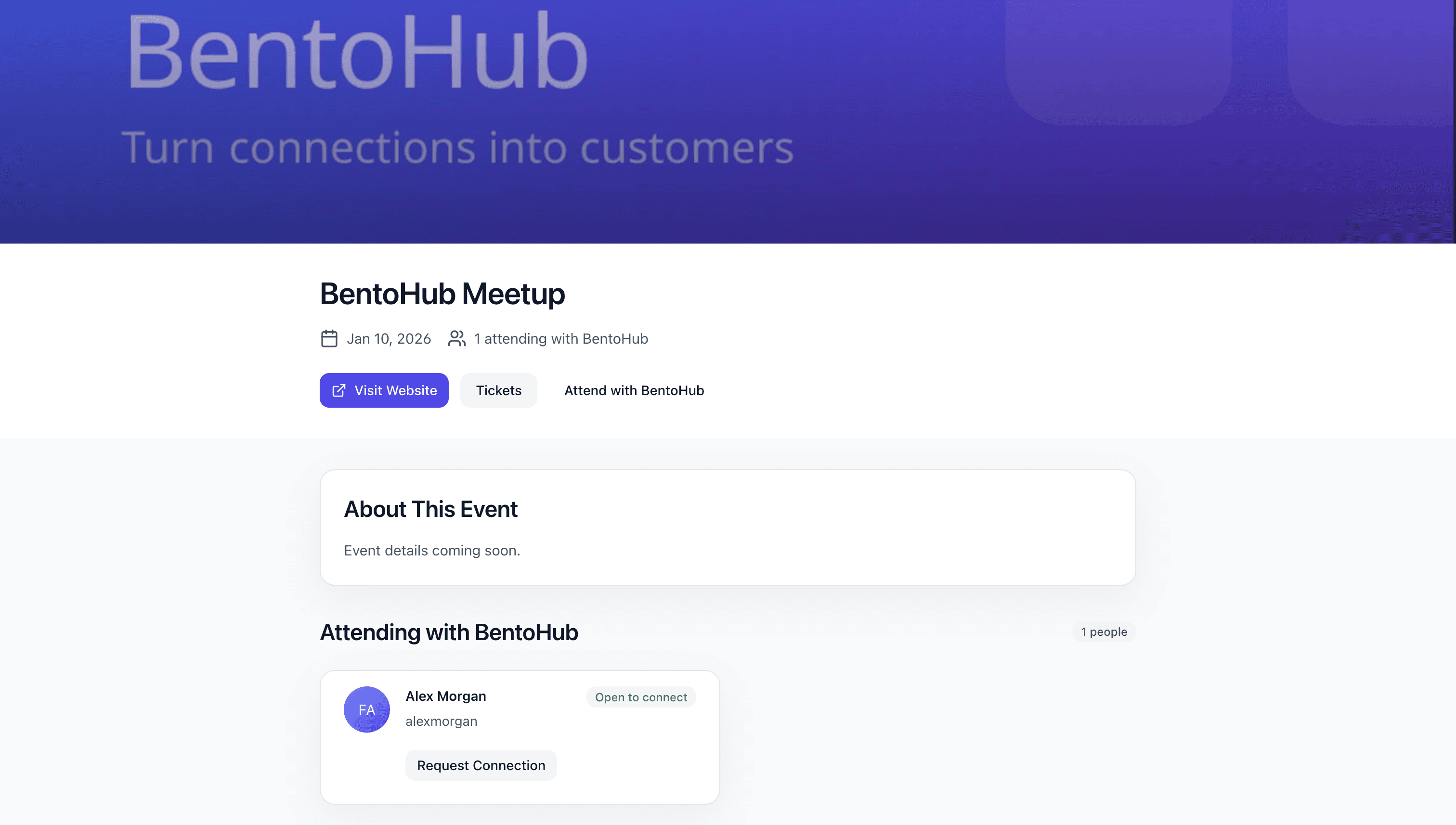
What you can see about attendees
- • Full BentoHub profile (bio, links, social media)
- • Networking note (what they're looking for)
- • Open to connect status
- • Shared interests or event history
Send a connection request
When you find someone interesting, click "Connect" and write a personalized message referencing the event and their note.
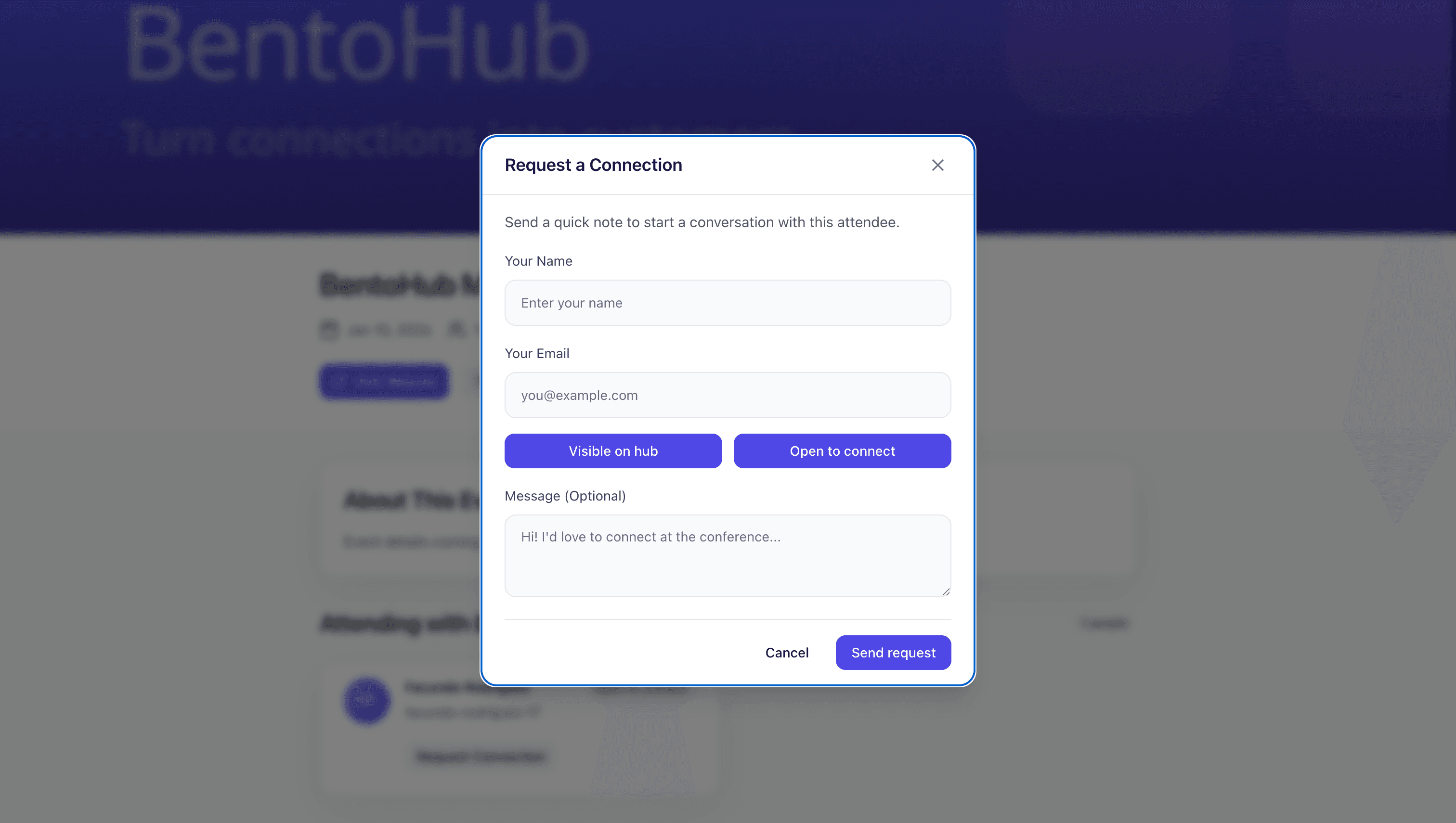
Example connection message
Hey Sarah! Saw we're both attending DesignCon. I noticed you're looking for design feedback on your SaaS; I'd love to chat since I've been building products for 5 years. Free for coffee before the keynote?
Best time to send requests
Send connection requests 1-2 weeks before the event. This gives you time to plan meetups or coffee.
Best practices
Be specific in notes: "Looking for backend developers" beats "Open to connect".
Connect early: Send requests 1-2 weeks before the event starts.
Reference shared context: Mention the event and their networking note.
Follow up after the event: Send a follow-up message within 24-48 hours.
Keep your profile updated: Attendees will check your profile before accepting.
Common mistakes
- • Sending generic messages: Reference the event and be specific.
- • Waiting until after the event: Pre-event connections lead to better meetings.
- • Leaving visibility off: If you're not open to connect, people won't reach out.
- • No follow-up: Follow up within 24-48 hours or the connection dies.
- • Ignoring incoming requests: Respond within 24 hours to keep momentum.
What happens next
Once you've sent connection requests, BentoHub helps turn those into real relationships:
Connection requests become CRM contacts
Accepted requests appear in your CRM with full context.
Conversations continue post-event
Use messaging, email, or LinkedIn to keep the relationship going.
Repeat for future events
Each event builds your network and deepens existing relationships.