How to track and manage leads with BentoHub CRM
Stop losing leads across scattered spreadsheets, email threads, and social DMs. BentoHub automatically captures every inbound interaction, including link clicks, form submissions, and event RSVPs, and turns them into structured CRM contacts.
What you need before you start
- A published BentoHub profile with at least one block
- Email capture block or contact form enabled
- Or at least one event with networking enabled
- Free or Pro account (CRM is available on both plans)
Capture a lead from your hub
Leads enter your CRM in three ways: email capture blocks, contact form submissions, or event connection requests. Add at least one of these to your hub.
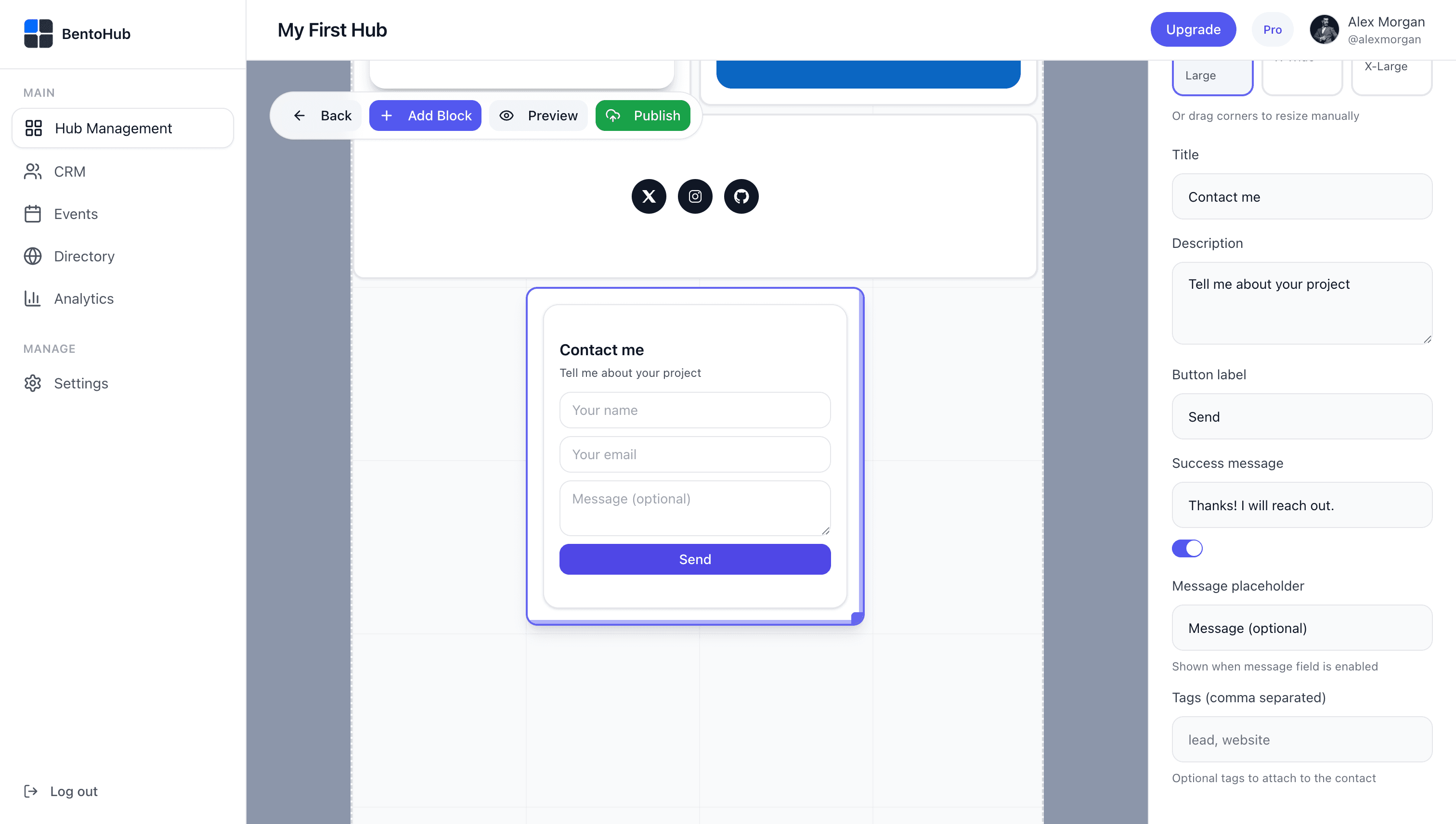
Email capture example
Add an Email Capture block with a simple CTA like "Get my monthly newsletter" or "Download my guide". When someone enters their email, they instantly become a CRM contact.
Pro tip
Use different email capture blocks for different lead magnets. This helps you tag leads by source automatically.
Automatic contact creation
As soon as someone submits their email or sends a connection request, BentoHub creates a contact in your CRM. No manual entry, no CSV imports, no integrations to configure.
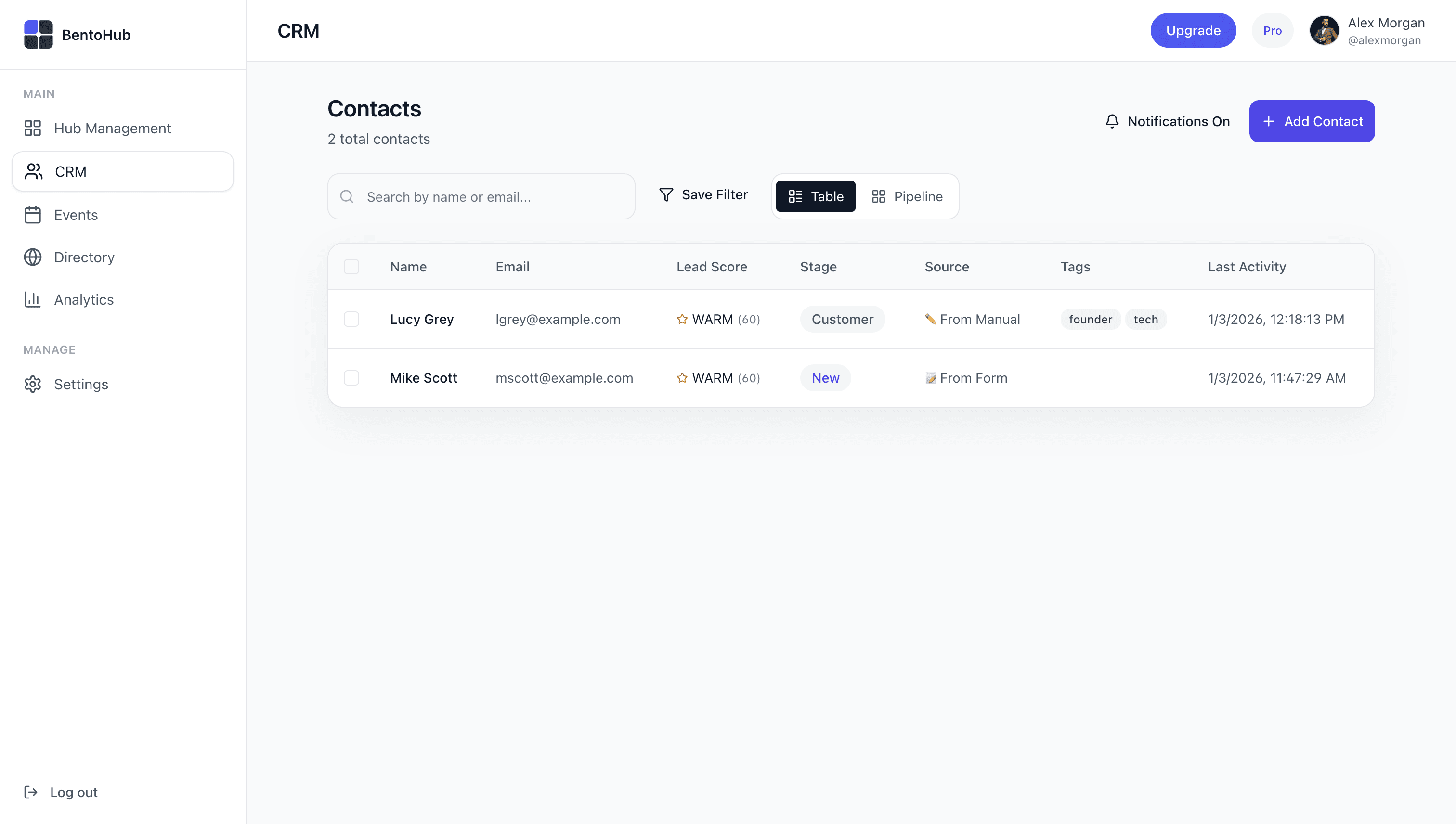
- •Name and email: Captured automatically from the form or request
- •Source: Tagged with which block or event they came from
- •Timestamp: Exact time they became a contact
- •Stage: Defaults to "New" so you can follow up immediately
Review activity timeline
Open any contact to see their complete activity timeline. Every link click, page view, event RSVP, and form submission is logged automatically. This gives you context before you reach out.
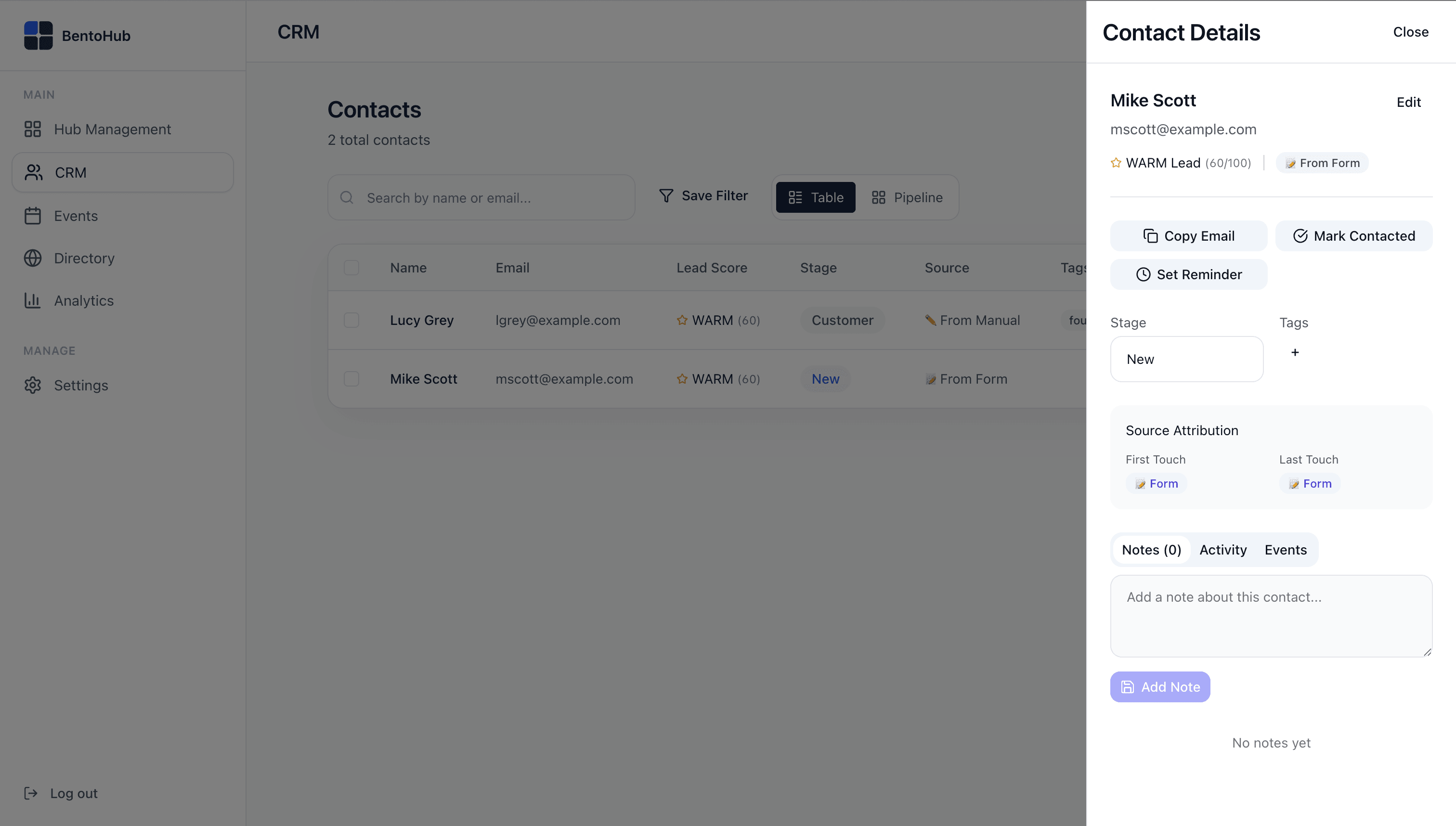
What's tracked in the timeline
- • First visit to your hub (and how they found you)
- • Links they clicked (e.g., portfolio, booking page, social media)
- • Events they viewed or registered for
- • Connection requests sent or accepted
- • Any notes you've added manually
Use the timeline to personalize your follow-up. If someone clicked your portfolio link three times, they're clearly interested in your work.
Update stage and tags
Move contacts through your pipeline by updating their stage. Use tags to organize by interest, event, or lead source. Keep it simple. BentoHub CRM is designed for action, not endless categorization.
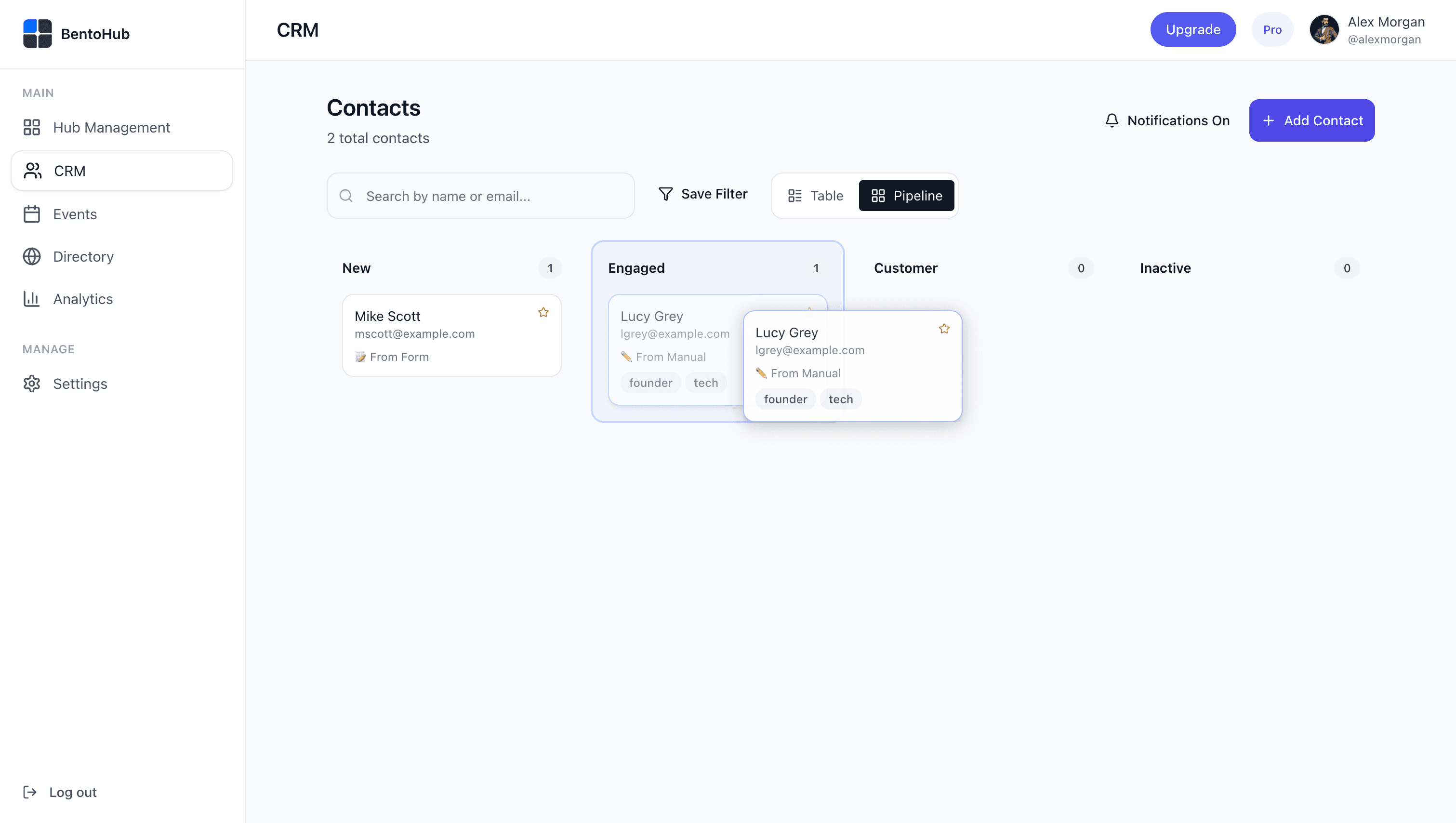
Default pipeline stages
Customize stages in Settings -> CRM (Pro plan)
Best practices
Tag leads by source: Use tags like "newsletter", "event-tnw", or "portfolio-click" to know where leads came from.
Move stages weekly: Set aside 10 minutes each week to review new contacts.
Treat CRM as a follow-up queue: It's your to-do list, not just a database.
Add context notes: After a call or meeting, log it so you remember next time.
Common mistakes
- • Ignoring new contacts: Waiting 3+ days to follow up kills conversion.
- • Over-tagging: Too many tags create decision paralysis. Stick to 3-5 max.
- • Using external CRMs too early: Don't export until you have real volume.
- • Never archiving: Move dead leads to Archive to keep your pipeline clean.
- • Skipping the timeline: Always check activity before reaching out.
What happens next
Once your CRM is capturing leads, BentoHub helps you turn interest into relationships:
Leads convert into conversations
Personalize your outreach with timeline context.
CRM feeds events and networking context
Event attendees and connection requests flow in with full context.
Analytics show what's working
Track which blocks, events, and campaigns generate the most leads.