How to create and promote events with BentoHub
Create an event page, enable networking, and promote it from your hub so attendees can connect before they arrive. BentoHub makes events feel smaller, warmer, and more intentional.
What you need before you start
- A BentoHub account (Free or Pro)
- Event details: date, time, location, and description
- A cover image or brand asset (optional)
- A published hub to promote the event
Create your event
From the Events dashboard, click "Create event" and fill in the basics: title, date, location, and description.
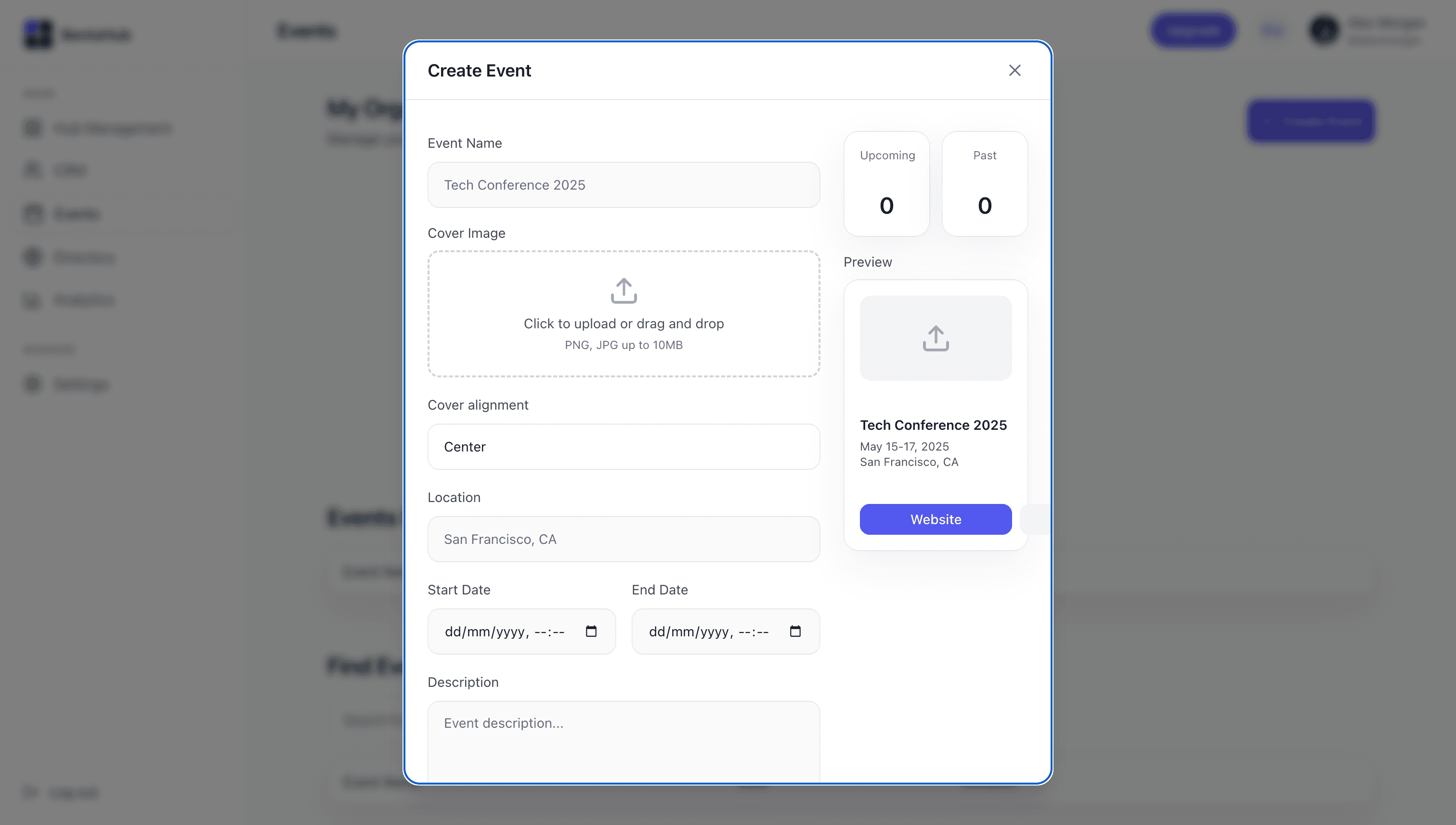
Pro tip
Use a clear title and outcome so attendees know why it matters.
Enable networking
Turn on networking so attendees can discover each other and send connection requests before the event.
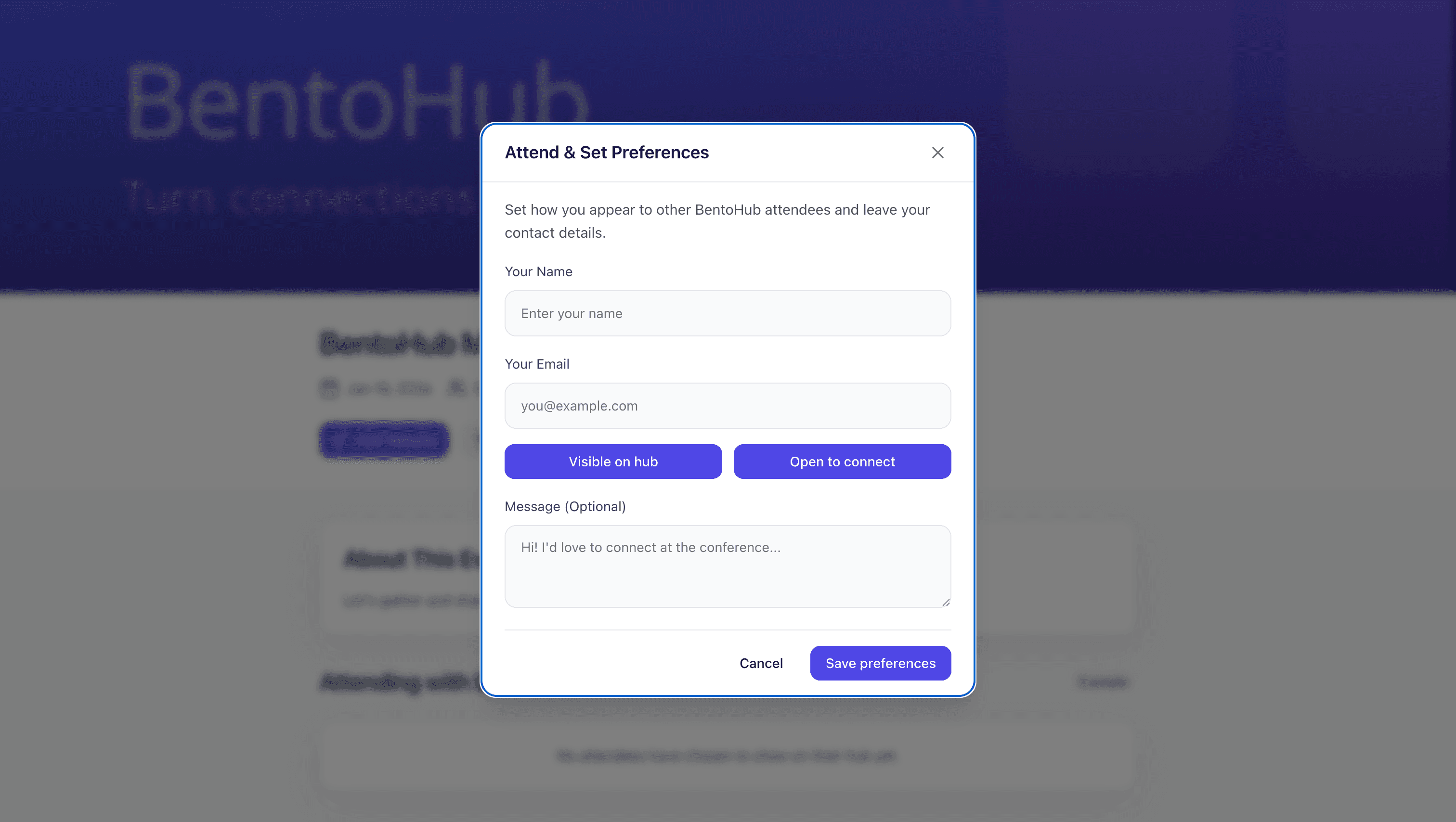
Networking is what makes BentoHub events different; connections are captured in CRM with full context.
Publish your event page
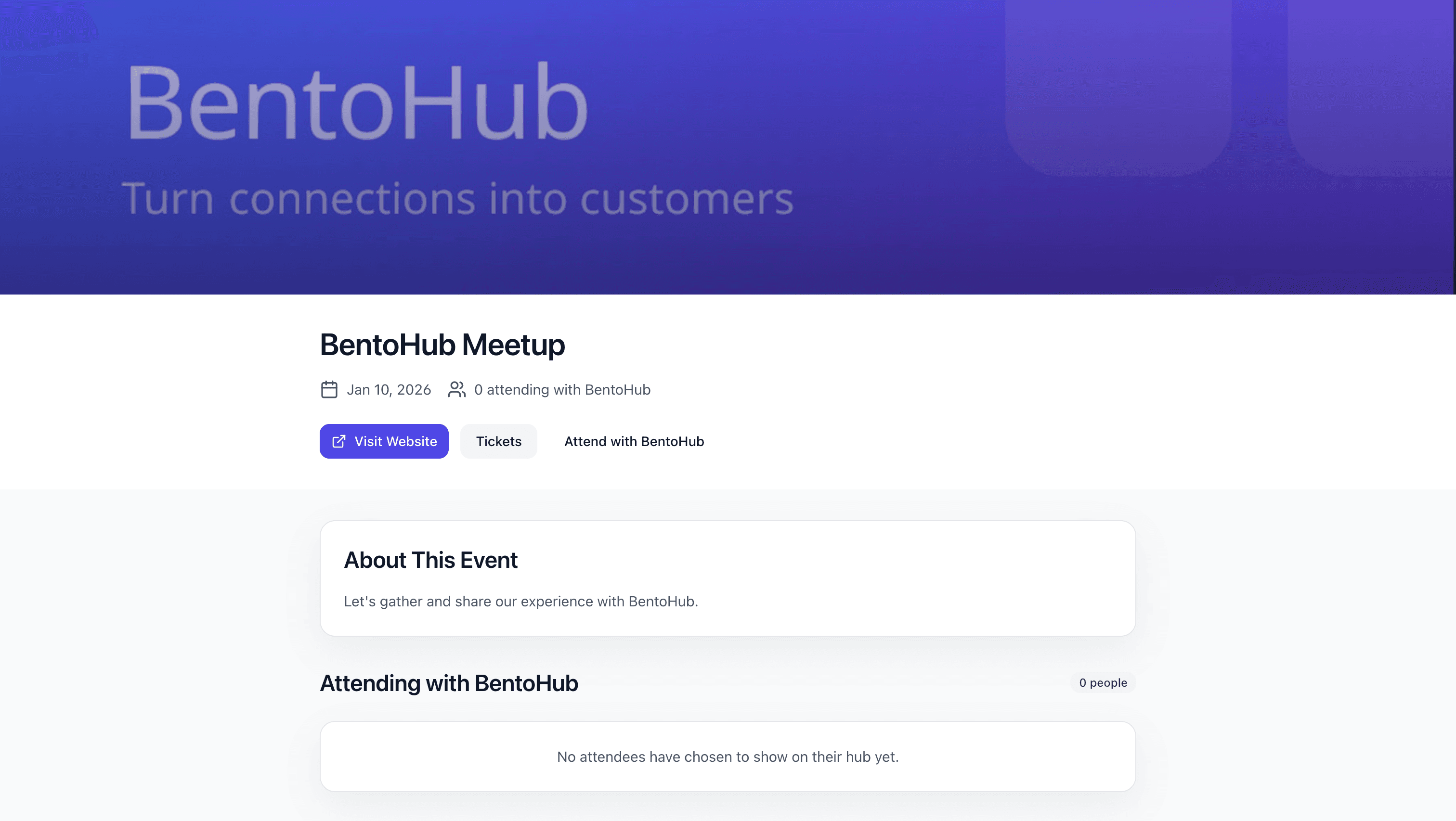
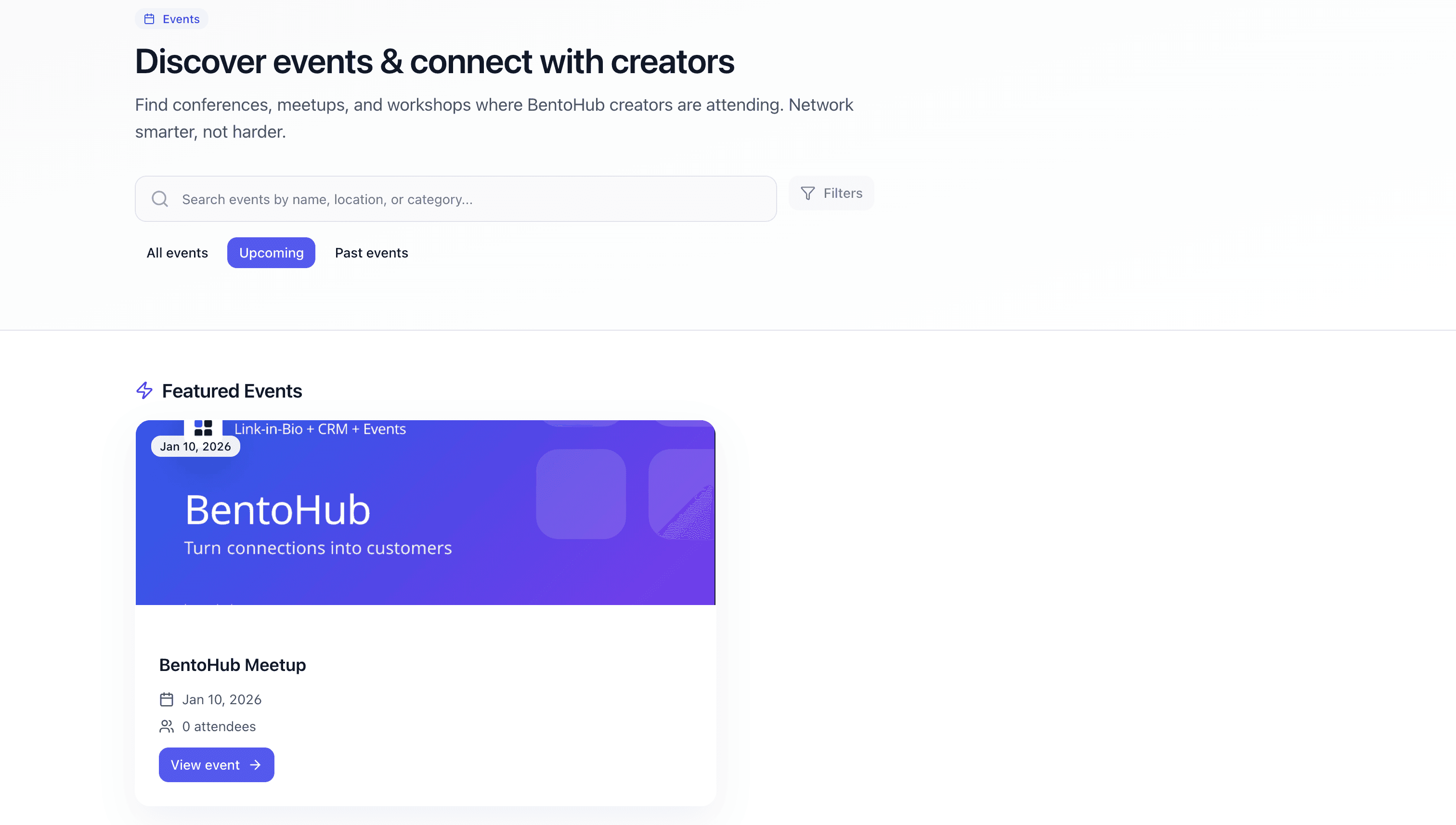
Publish the event so it appears in the public directory and can be shared with attendees.
Promote your event
Share the event link across your channels and add it to your hub to drive RSVPs.
Promotion checklist
- • Add the event to your BentoHub
- • Share on social media
- • Email your list
- • Post in relevant communities
- • Send a reminder 48 hours before
Track attendees and follow up
Monitor RSVPs, attendee engagement, and connection requests before and after the event.
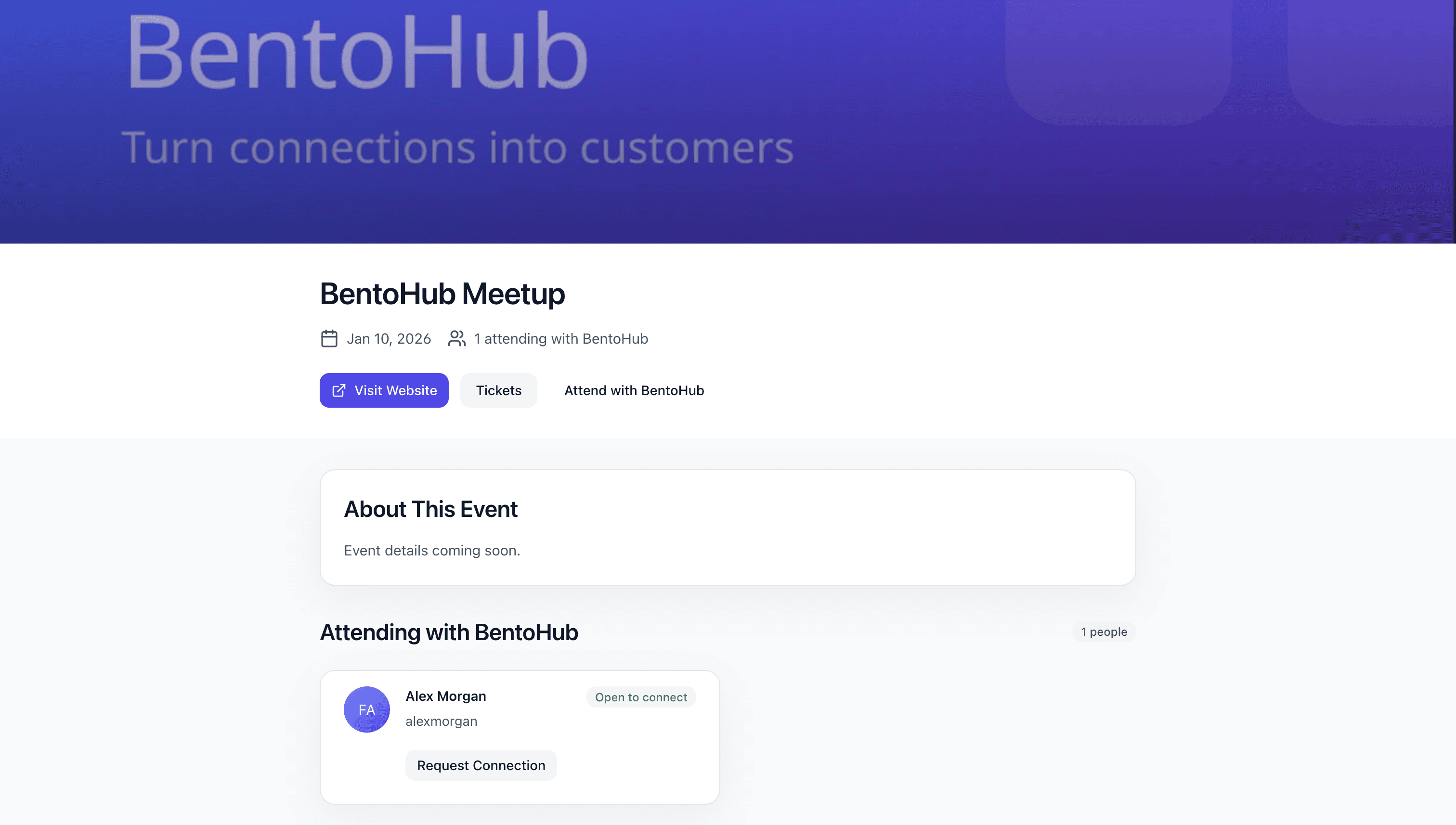
Follow up within 24 hours while the event is still fresh.
Best practices
Lead with the outcome: Tell attendees what they'll walk away with.
Enable networking early: Give people time to connect before the event.
Promote from your hub: Make the event your primary CTA for a week or two.
Send reminders: A 48-hour reminder boosts attendance rates.
Common mistakes
- • Vague descriptions: Be specific about the who, what, and why.
- • Networking turned off: It removes the main differentiator of BentoHub events.
- • No follow-up: Attendees lose momentum quickly without a next step.
- • Over-promotion: One clear CTA performs better than many competing links.
- • Ignoring analytics: Track what channels are driving RSVPs and double down.
What happens next
Once your event is live, BentoHub helps you turn attendance into relationships:
Networking requests flow into CRM
Every connection request shows up with context and notes.
Analytics show which channels work
See where RSVPs are coming from so you can focus on high-performing channels.
Reuse templates for future events
Duplicate past events to save time and keep your formatting consistent.